
How handoffs reach your team
When the agent hands a lead to a person, one sales rep at a time gets a WhatsApp message with everything they need.
For what makes the agent hand a lead over, and what you see on the lead, see Human handover.
What the rep receives
One rep at a time, in turn: whoever was paged longest ago goes next. The People tab marks them Next. They get a WhatsApp message like this:
Hi Ankit, a lead needs your follow-up. Name: Rahul Sharma. Phone: +919876543210. Project: Acme Skyline. Context: Wants 3BHK under 1.8Cr, asked for exact floor-rise pricing, ready to visit this weekend. Tap below for the full summary, or reach out to them directly.
The message carries the whole lead, so nothing is lost even if the rep never taps a button. The phone number in it can be tapped to call. It has two buttons:
- Send full summary: the rep takes the lead. They get the full summary on WhatsApp and the lead is theirs.
- Not available: the lead goes to the next rep.
Nothing moves on by itself
A handoff waits with the rep it was sent to until they tap. There is no timer. If every rep taps Not available, paging stops and the lead shows as reaching nobody.
From the dashboard you can move it along: on the rep's card under Waiting for …'s tap (with the rep's name), click Remind … to send them the page again, or Page … instead to send it to the next rep. If the buyer writes again while the handoff is open, the rep who has it is reminded by itself, at most once every 4 hours.
Reps can also type
A rep can reply in their own words, for example "send me my leads" or "send me the details". These go to a small team assistant that can list their leads, send a lead's details again, pass a lead on, or send today's visits.
The Handoffs tab
Handoffs on the Sales team page lists every handoff from the last 30 days, and any still waiting.
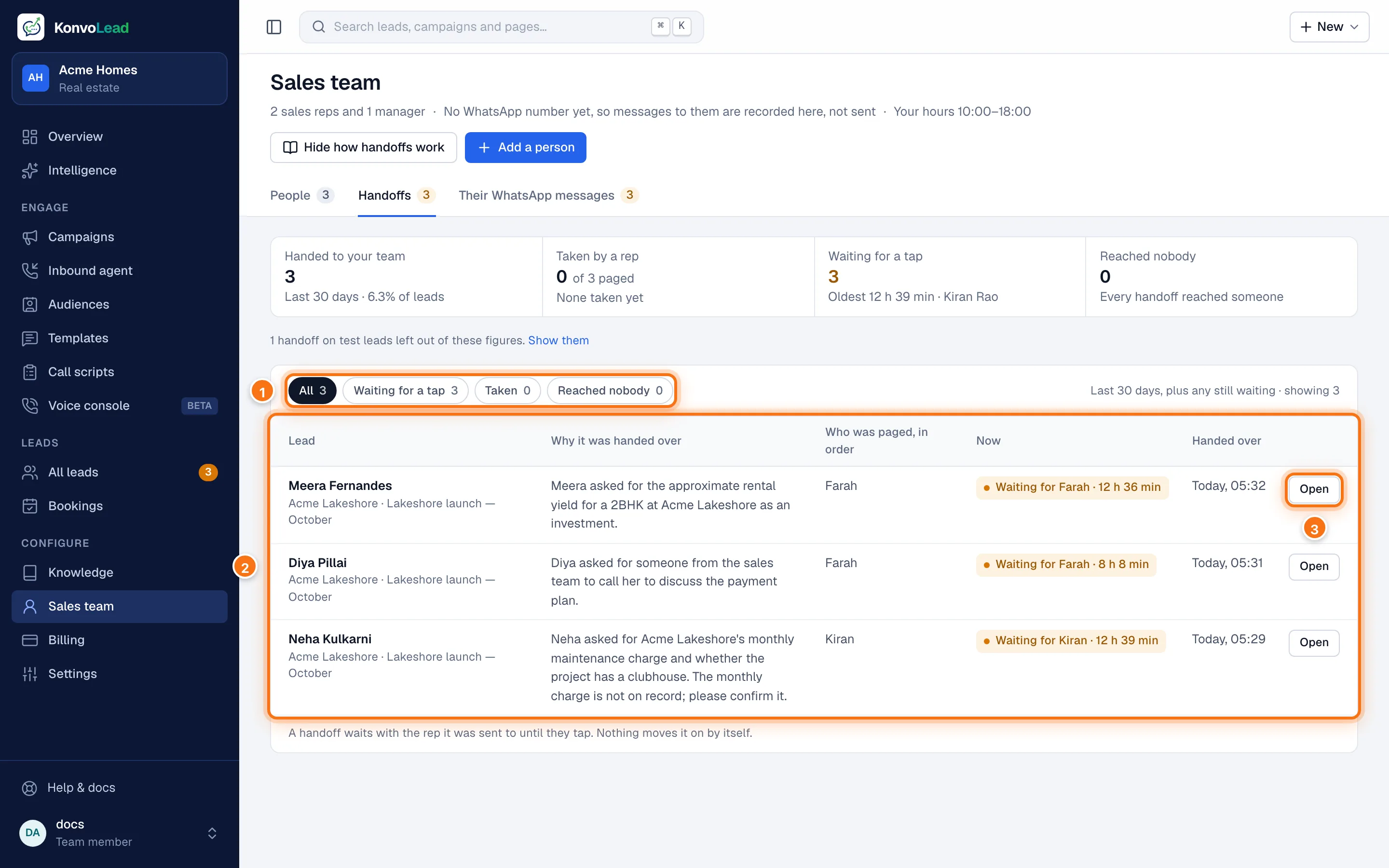
- Show All, those Waiting for a tap, those Taken, or those that Reached nobody.
- Each handoff: the lead, Why it was handed over, Who was paged, in order, where it stands Now, and when it was Handed over.
- On a handoff waiting for a tap, Open opens the rep's card, with Remind and Page … instead. On one that reached nobody, Page a rep sends it again.
Closing a handoff
When your team has finished with the buyer, open the lead and click Mark handoff resolved. While a handoff is open, campaigns don't message or call that lead; the buyer can still write or call, and the agent still answers them. See Mark handoff resolved.