
Overview and Buyer Intelligence
What each part of the Overview and Buyer Intelligence pages tells you.
Both are at the top of the menu. Both leave out test leads unless you choose to include them. The Project filter appears when you have more than one project.
Overview
How your leads are doing over a period, and what needs you now.
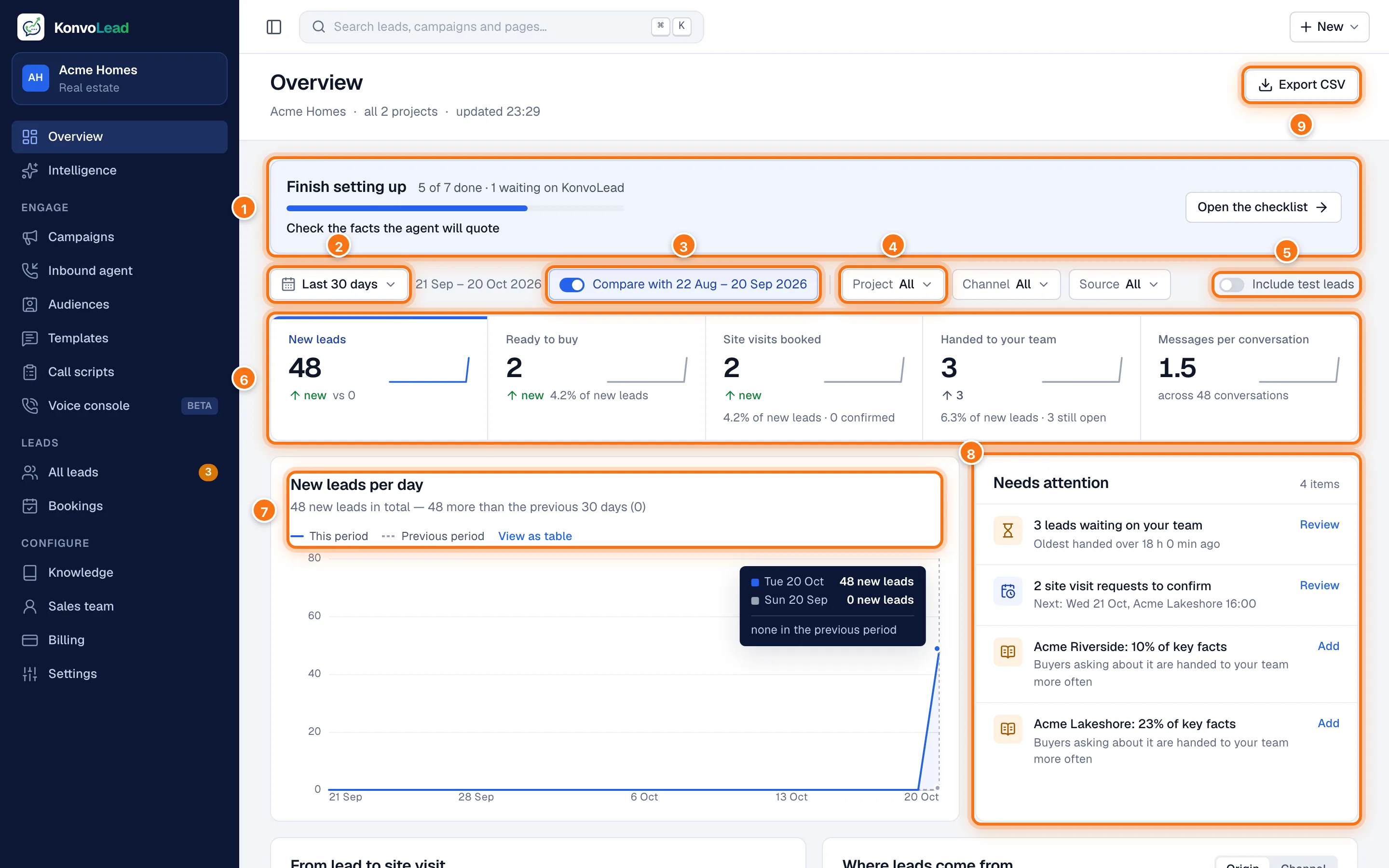
- Finish setting up, until you have: how many setup steps are done and what's next. Open the checklist opens the full list. See The welcome checklist.
- The period: the last 7, 14, 30 or 90 days.
- Compare with the period before it. The headline figures then show the change.
- Narrow by Project, Channel (how they first got in touch) and Source.
- Include test leads.
- The headline figures: New leads, Ready to buy, Site visits booked (and how many your team confirmed), Handed to your team (and how many are still open) and Messages per conversation. Click one to chart it below. Ready to buy here also counts leads who booked a site visit, so it can be higher than the Ready to buy view on All leads, which counts only the leads the agent judges ready.
- The chart of the figure you picked, day by day, with the previous period dotted. View as table shows the numbers.
- Needs attention: for example leads waiting on your team, handoffs that reached nobody, today's site visits and ones to confirm, messages Meta rejected, and projects whose knowledge is thin, each with a link to deal with it.
- Export CSV downloads the figures.
Further down:
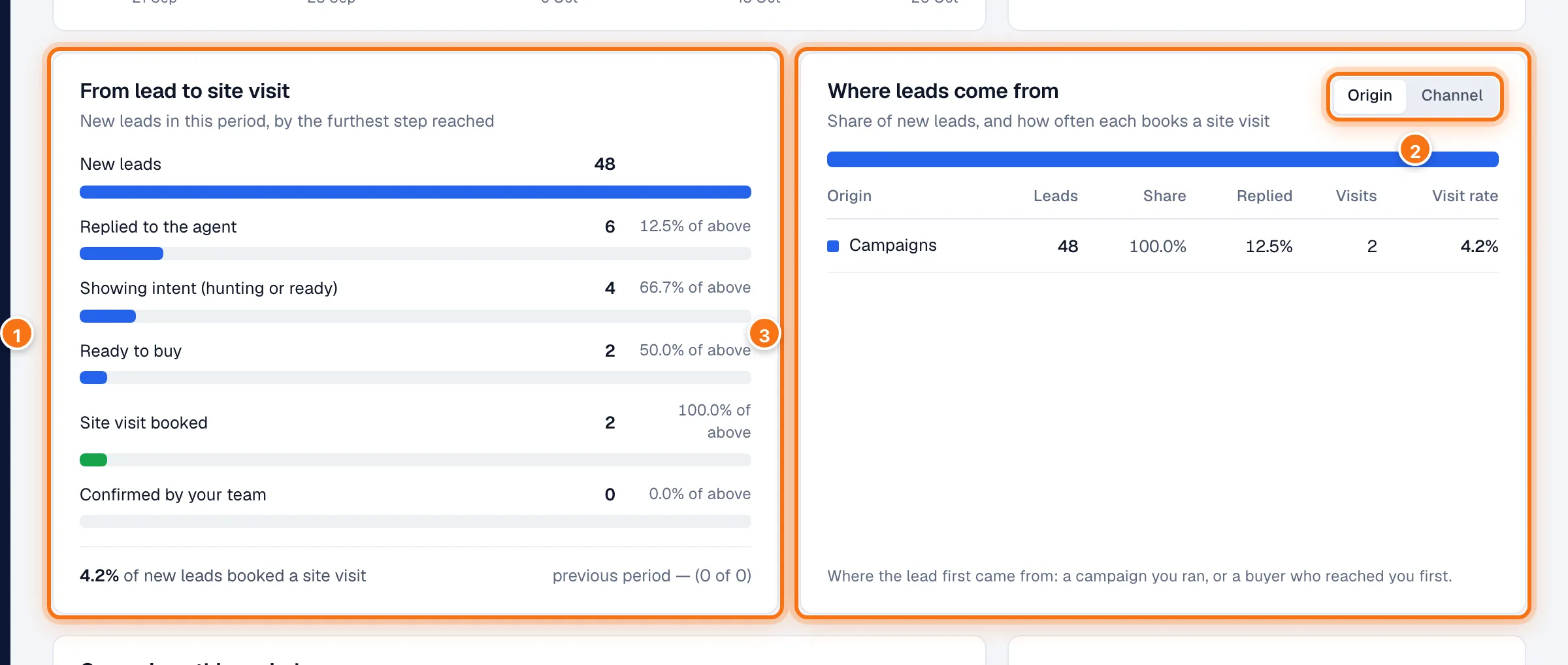
- From lead to site visit: new leads in the period by the furthest step they reached, from replying to the agent to a visit your team confirmed, with the share of each step that reached the next.
- Origin or Channel: group the table beside it by where leads first came from, or the channel they first used.
- Where leads come from: each group's share of new leads, how many replied, how many booked a visit, and the visit rate.
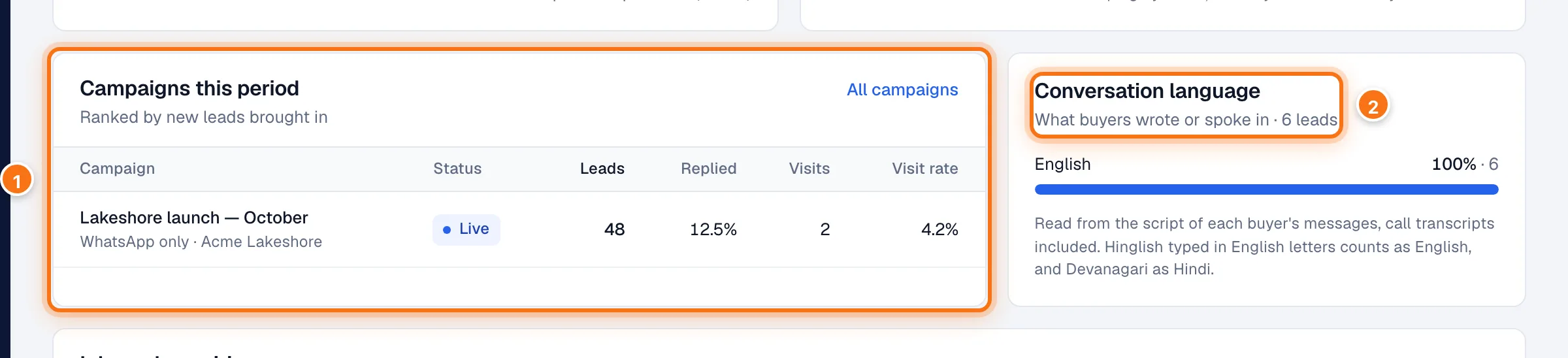
- Campaigns this period, ranked by new leads, with replies and visits. All campaigns opens the Campaigns list.
- Conversation language: what buyers wrote or spoke in. Hinglish typed in English letters counts as English.
At the bottom, Inbound enquiries has your inbound figures. See Reading inbound analytics.
Buyer Intelligence
What your buyers want, ask and push back on.
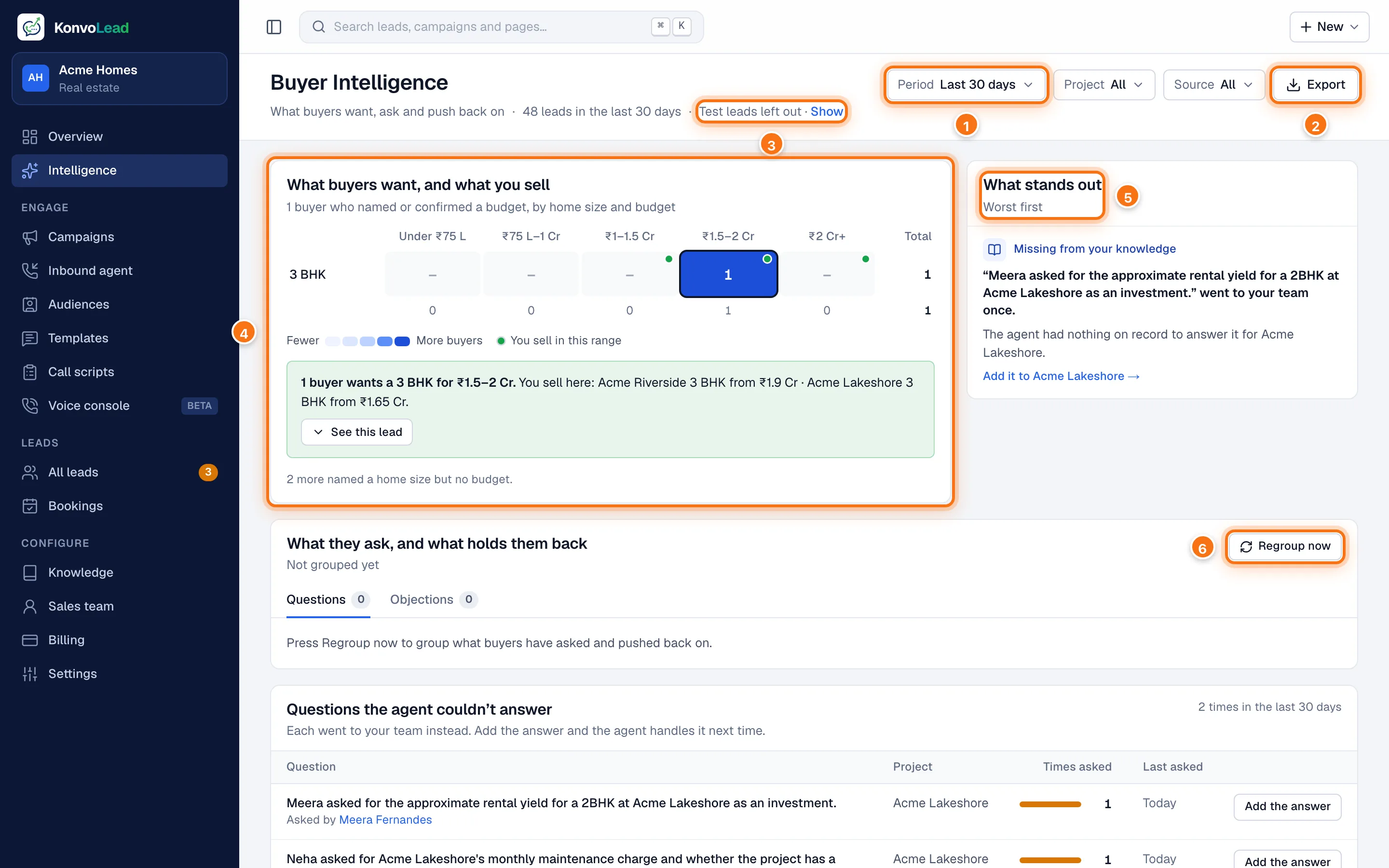
- The period, and beside it the Project and Source filters.
- Export downloads the leads behind the page as a spreadsheet, one row per lead with what each told the agent, for the same period and filters.
- Test leads are left out. Show includes them.
- What buyers want, and what you sell: buyers who named or confirmed a budget, by home size and budget band. A green dot marks a band you sell in. Click a cell to see how many buyers are in it and what you sell there, then See these … leads for their names.
- What stands out: up to three things worth a look, worst first, such as what buyers want that you don't sell, buyers priced below your cheapest, or the question that most often went to your team, with a link to add it.
- What they ask, and what holds them back: the questions and objections buyers raise, grouped into themes. They come from lead summaries, written when a lead is handed to your team or its summary is opened, and never include test leads. Click Regroup now to group them again.
Questions the agent couldn't answer
Every question the agent handed to your team because your knowledge didn't have the answer. This is usually the most useful list on the page.
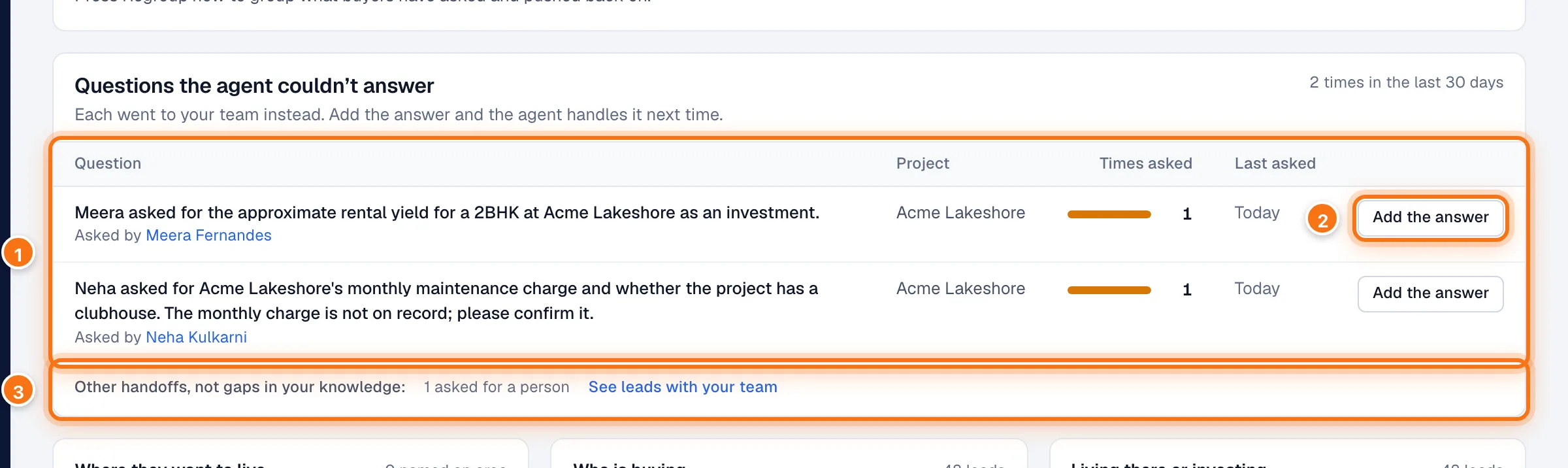
- The question, the project, how often it was asked, when, and by whom.
- Add the answer opens the project's knowledge, showing what's missing. Once the answer is there, the agent answers it itself. See Checking facts.
- Other handoffs, not gaps in your knowledge, for example buyers who asked for a person.
Who your buyers are

At the bottom: Where they want to live (the areas buyers named), Who is buying (for example local, relocating or NRI) and Living there or investing, each from what buyers told the agent.