Who the agent serves: brokers, spam and existing customers
What happens when someone who isn't a buyer contacts your number, and how to undo a wrong call.
A public number draws more than buyers. From the first message of a new enquiry, the agent works out who it is talking to. If it isn't sure, it treats them as a buyer: turning away a real buyer costs a sale, while talking to someone who isn't one costs very little.
Who the agent talks to
The Who the agent talks to card on the Inbound agent page shows what each kind of contact gets, and how many there were in the last 30 days.
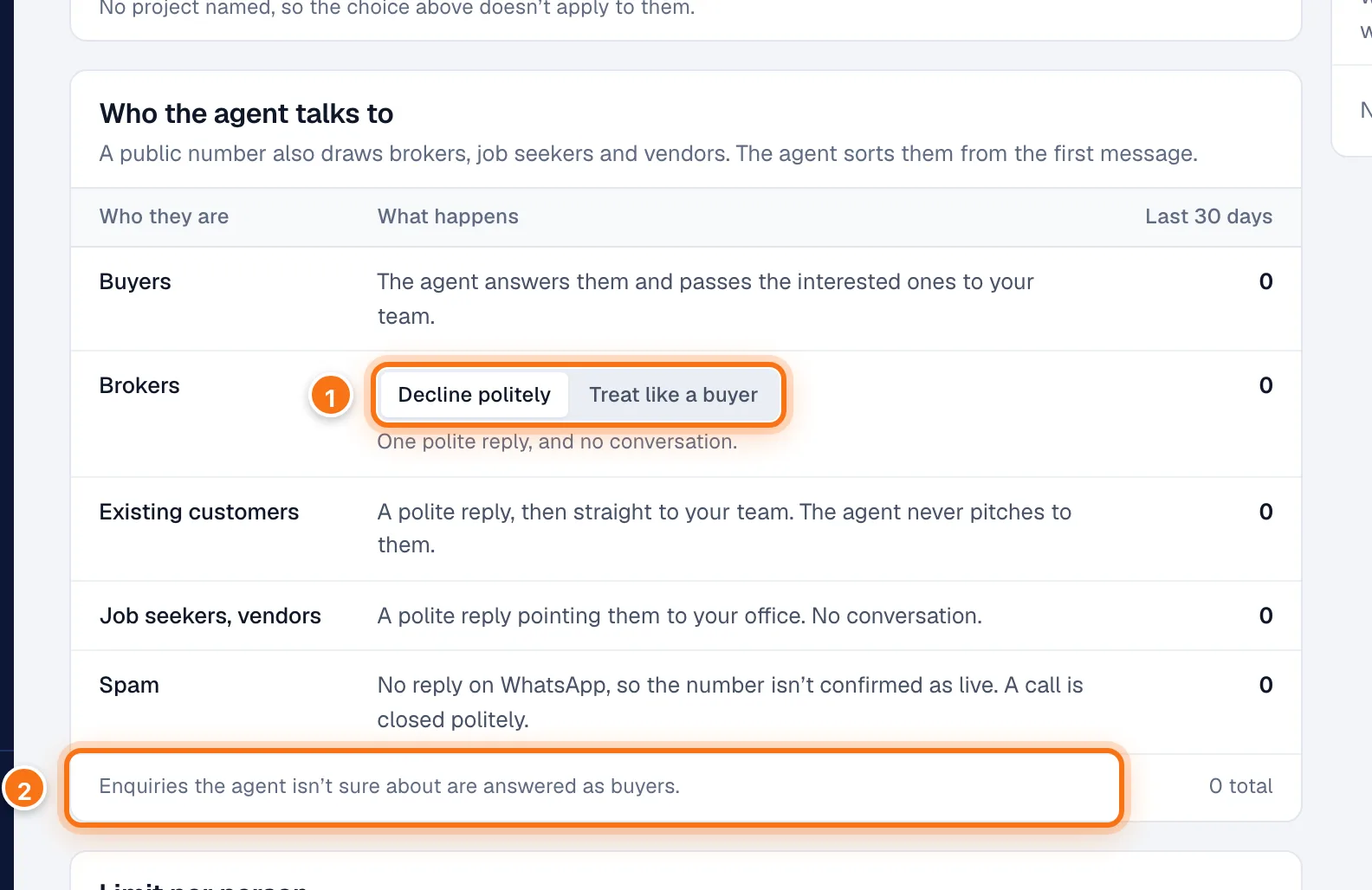
- Your choice for Brokers. See below.
- Enquiries the agent isn't sure about are answered as buyers.
| Who they are | What happens |
|---|---|
| Buyers | The agent answers them and passes the interested ones to your team. |
| Brokers | Decline politely: one polite reply and no conversation. Treat like a buyer: the agent talks to them like any enquiry, and they are still counted as brokers. |
| Existing customers | A polite reply, then straight to your team. The agent never pitches to them. |
| Job seekers, vendors | A polite reply pointing them to your office. No conversation. |
| Spam | No reply on WhatsApp, so the number isn't confirmed as live. A call is closed politely. |
Two more rows appear when they have happened:
- Reception line: Inbound was off, the project wasn't covered, or they went past the daily limit. They got a short reply and your team was paged.
- Not sorted: never sorted into a type, most often a call where the caller said nothing.
When the agent doesn't answer
If Inbound is off, the project isn't covered, or the person has gone past the daily limit, every enquiry still gets a reply. (Someone replying to one of your live campaigns isn't affected: the agent serves them whatever these settings say.)
- WhatsApp: a short reply saying your team will be in touch, and your team is paged.
- Phone: the caller hears that someone will call them back, your team is paged, and the call ends.
Your team is paged once per conversation, so someone who sends several messages or calls several times doesn't page your team several times. On WhatsApp the reply is also sent once; a caller hears the line on every call.
Check who it turned away
Check who it turned away, on the right of the Inbound agent page, lists the people the agent declined to talk to in the last 30 days, with their first message. The agent never talks to these, so if it got one wrong, this is the only way back.
- Read the first message. Click the name to open the lead if you want the whole conversation.
- If they are really a buyer, click Actually a buyer.
The list says "Moved to buyers. If they write or call again, the agent answers." Nothing is sent to them: the agent answers the next time they get in touch.