Testing the agent yourself
Play a buyer and see how the agent answers, by chat or on a call, before real leads do. Nothing is sent to a real person and test leads stay out of your numbers.
There are two ways:
- Test the agent on All leads: chat as a buyer, as if on WhatsApp.
- Voice console: talk to the agent on a call, through your computer or on a phone.
Chat as a buyer
- Open All leads and click Test the agent at the top right.
- Choose how the conversation starts, give the test lead a name, and click Create & open.
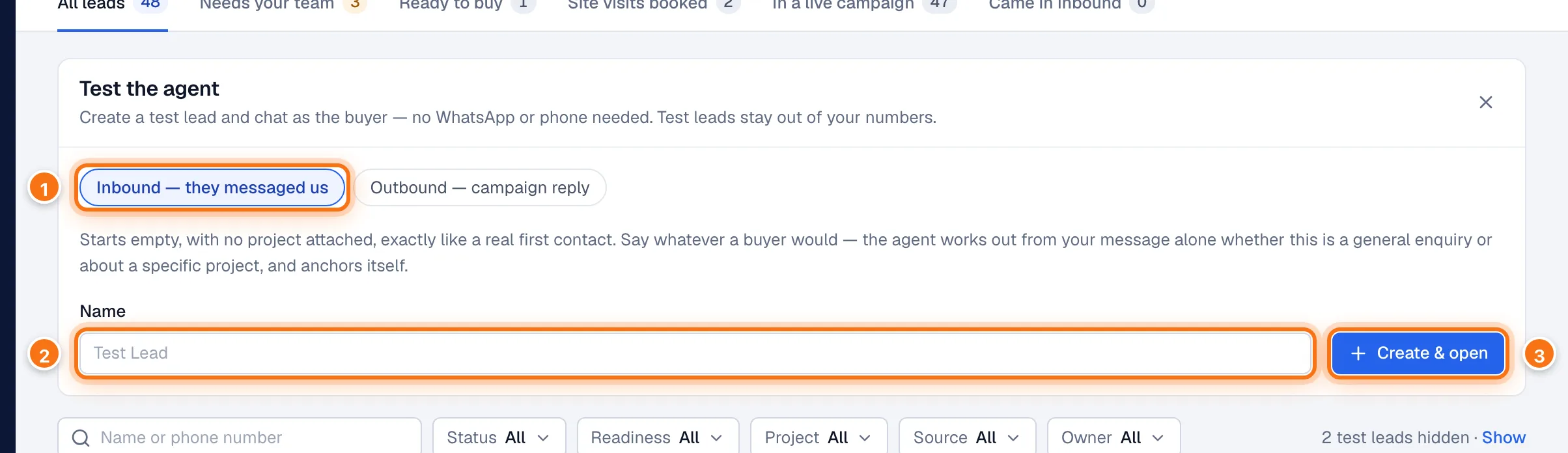
- How it starts:
- Inbound — they messaged us starts empty, with no project attached, like a real first message. Write what a buyer would; the agent works out from your words whether you mean a project or are asking in general.
- Outbound — campaign reply starts as if one of your campaigns messaged you first. See below.
- Name: the name the test lead is shown under. Left blank, it's "Test Lead" with the date and time.
- Create & open creates the test lead and opens its page.
For Outbound — campaign reply, also pick the campaign:
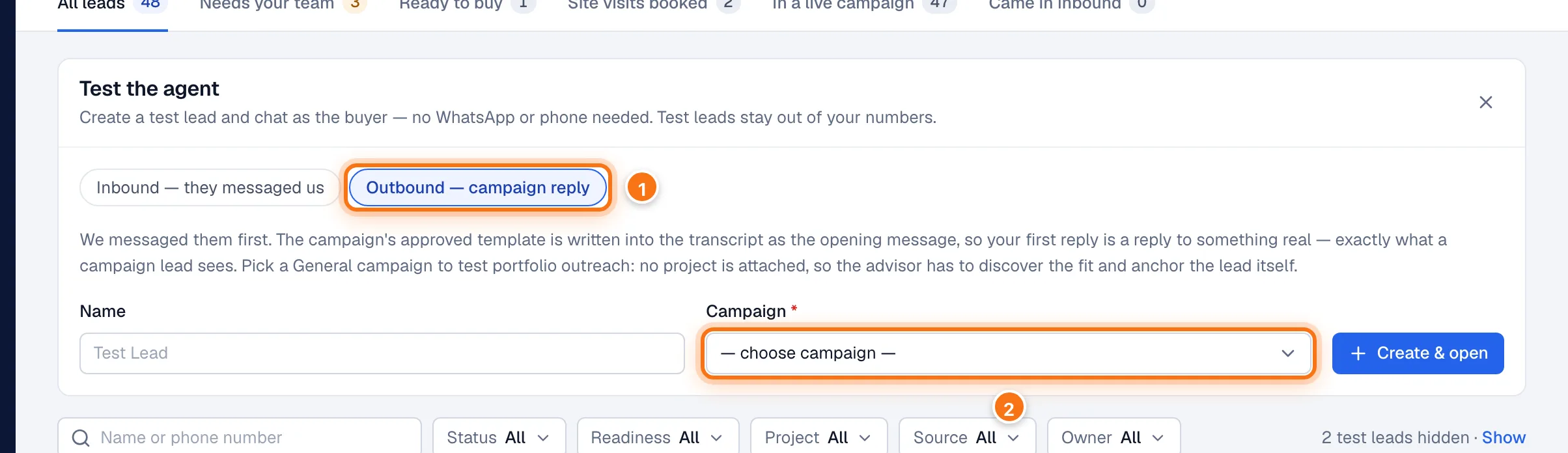
- Outbound — campaign reply.
- Campaign: the campaign that "messaged" you. Its opening message is written into the conversation, so your first message is a reply to it. Only scheduled, running or paused campaigns can be chosen. A campaign for all your projects tests how the agent finds the right project with you.
On the test lead's page, type into Send as lead and click the button:
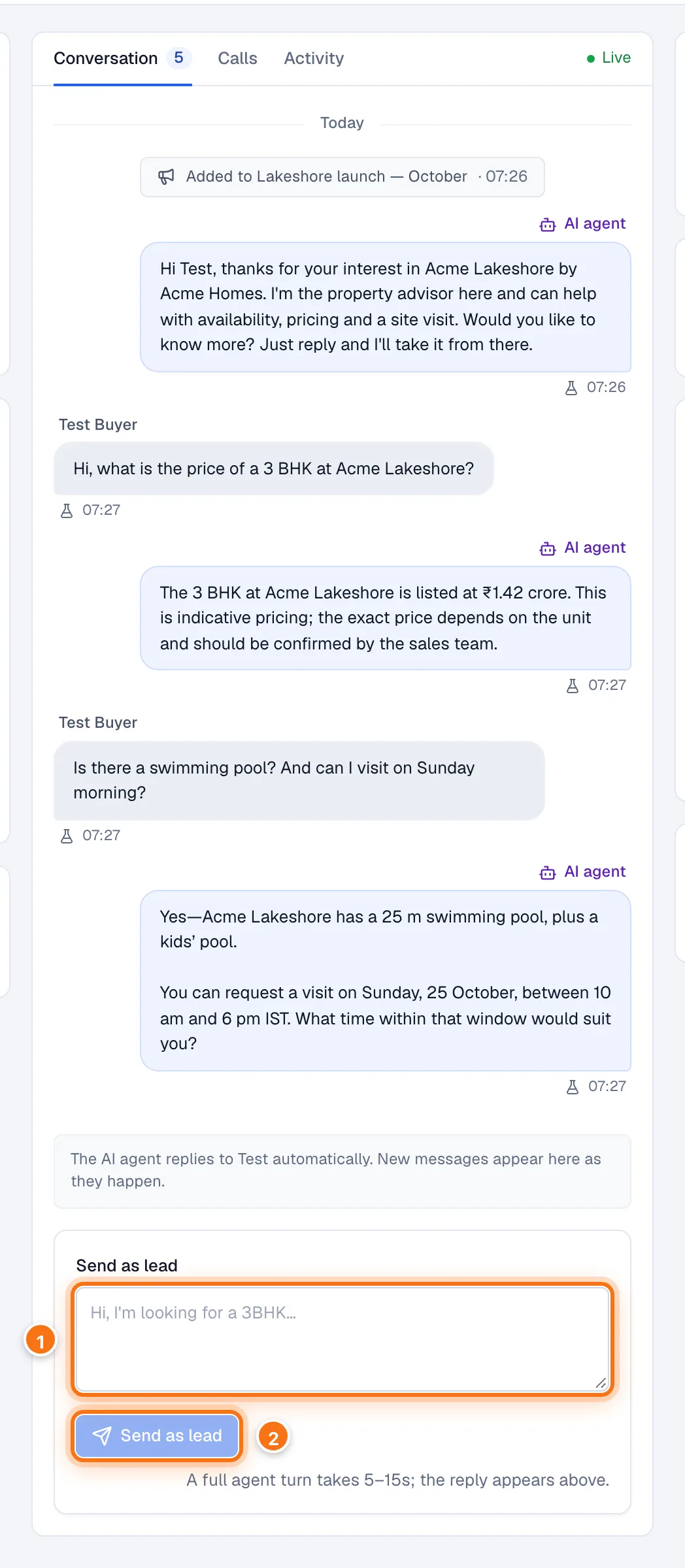
- Type what the buyer would say.
- Send as lead sends it. The agent replies in 5–15 seconds, and both appear in the conversation above.
Everything works as it would for a real buyer: the agent answers from your knowledge, fills in What they're looking for, and can request a site visit or hand you to your team. A handover pages your sales reps on WhatsApp as usual, so tell them when you're testing.
Test leads never receive real WhatsApp messages. They are hidden on All leads, Overview and Intelligence unless you choose to show them, and their messages are marked with a flask icon. You can only chat as a test lead, not as a real one.
Talk to the agent on a call
Open Voice console in the menu. It's in beta.
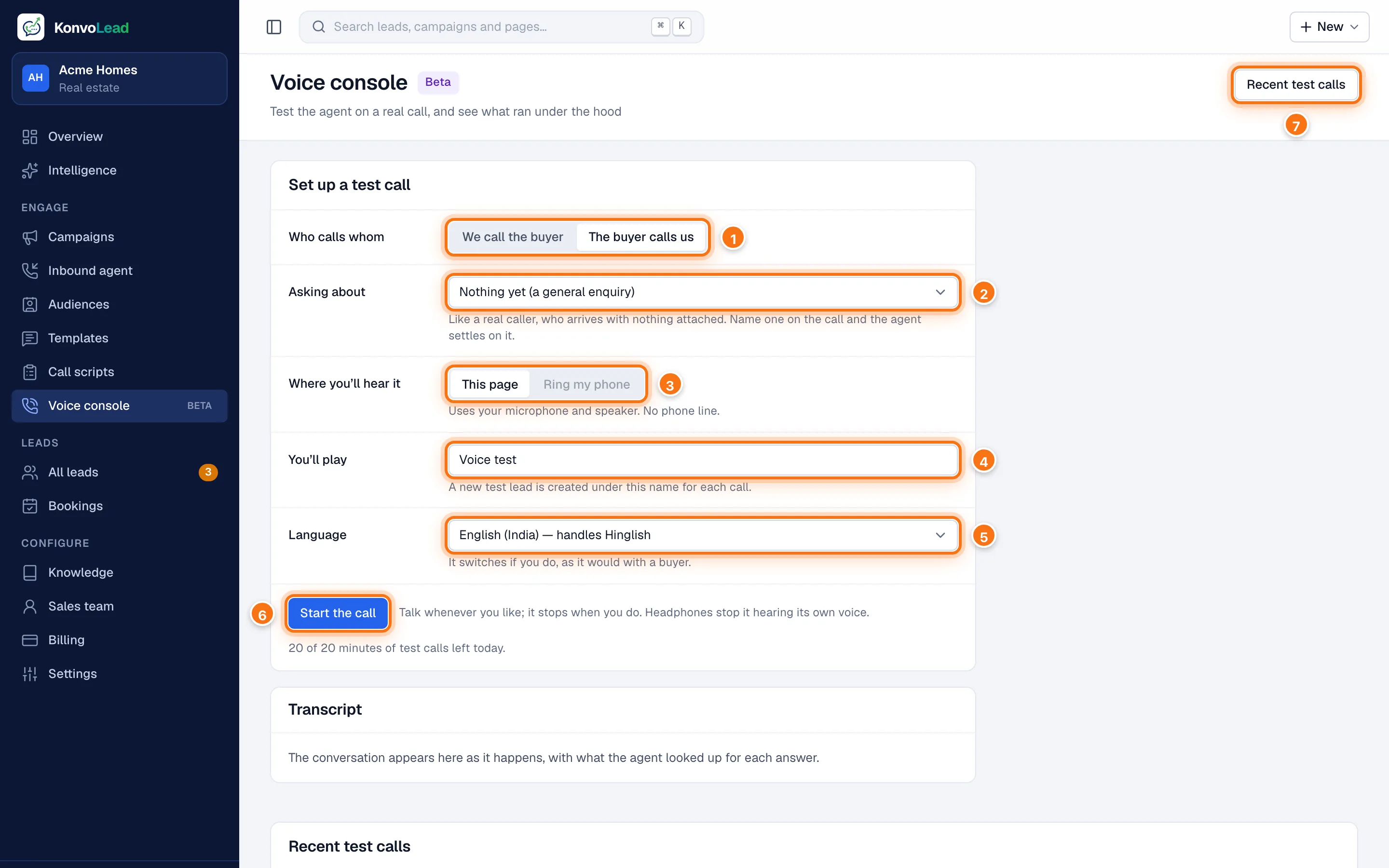
- Who calls whom:
- We call the buyer plays a campaign calling you. Choose the campaign under Opens like: the agent opens with that campaign's first line and talks about its project. Only a scheduled, running or paused campaign that uses calls can be chosen.
- The buyer calls us plays a buyer ringing your number.
- Asking about (when the buyer calls): Nothing yet, like a real caller, or one of your projects, so the agent skips the questions it asks to find a fit.
- Where you'll hear it:
- This page uses your computer's microphone and speaker. There's no phone line.
- Ring my phone rings a real phone instead, for We call the buyer only. Choose who under Who to ring: only people on your Sales team can be rung.
- You'll play: the name of the test lead made for the call. Each call makes a new one.
- Language the call starts in. The agent switches if you do, as it would with a buyer.
- Start the call. Talk whenever you like; the agent stops when you do. Use headphones so it doesn't hear itself.
- Recent test calls lists the calls you've made, with who you played and how long each ran.
While the call runs, the Transcript shows what each of you said and what the agent looked up for each answer. Click Hang up to end it. The call also ends when you say goodbye, after a long silence, or after 10 minutes.
You have 20 minutes of test calls a day. They come back at midnight.
Each test call also appears on its test lead's page, under Calls, marked test. See A lead's page.
What testing costs
Once your account is charged per reply and per minute, tests you run are charged like real use:
- Each agent reply in a test chat, and each answer in script practice, is charged as a WhatsApp reply.
- Test calls are charged by the minute, from the moment a call on This page starts, or from when a rung phone is picked up.
When a wallet is below ₹0, test chats and practice pause and test calls don't start, until it is topped up. Tests KonvoLead runs on your account aren't charged.