
Pausing, stopping and running again
How to hold a campaign, end it early, and run it again.
The buttons are at the top right of the campaign's page and change with its status. On the Campaigns list, … on each campaign has Open campaign, Pause or Resume, Duplicate as a draft and Stop campaign….
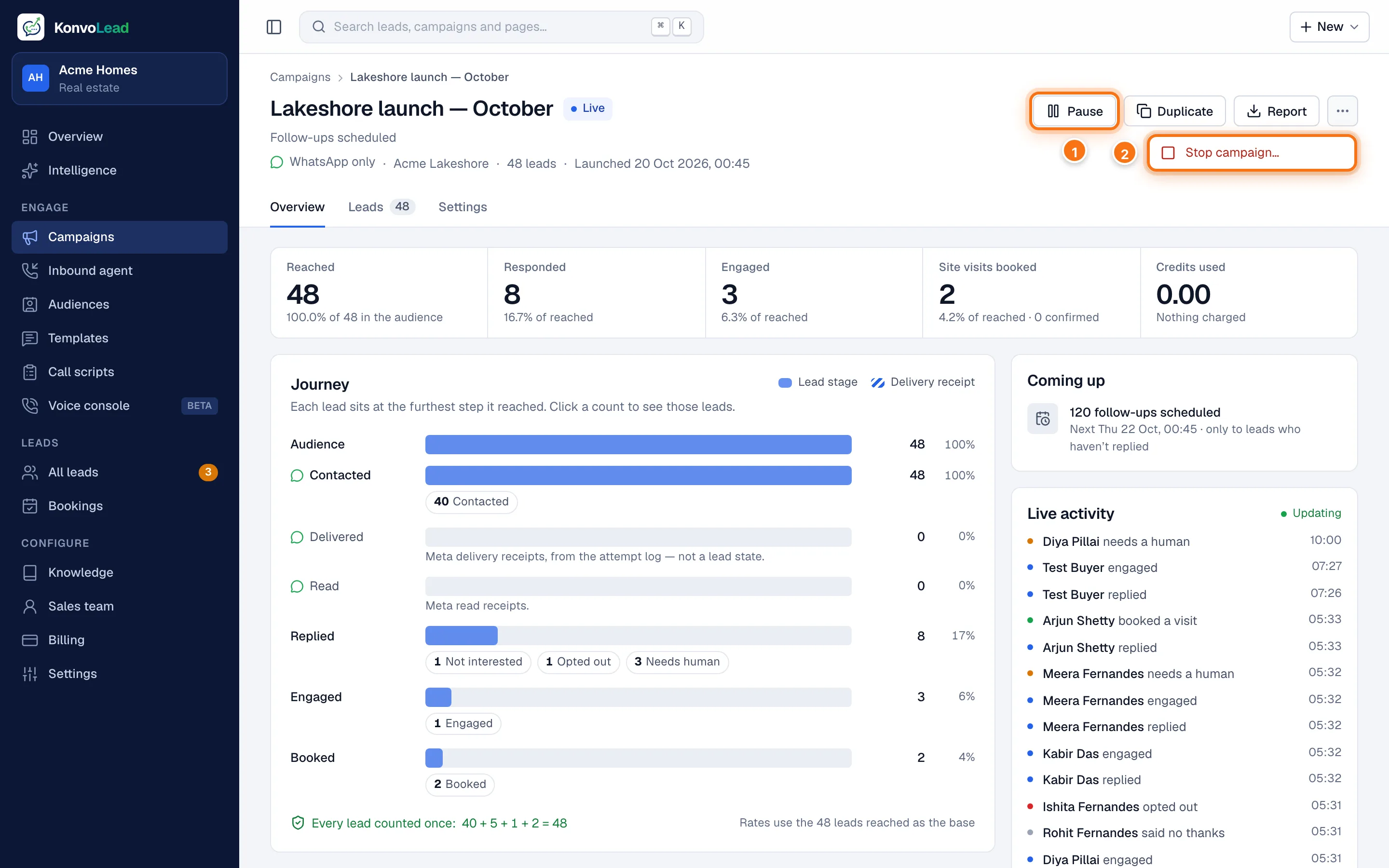
- Pause holds the campaign. On a paused campaign, it's Resume.
- Stop campaign…, under … (More actions), ends it for good.
| Status | Buttons |
|---|---|
| Draft | Edit, Launch, Duplicate |
| Scheduled | Launch, Duplicate |
| Live | Pause, Duplicate, Report, and Stop campaign… under … |
| Paused | Resume, Duplicate, Report, and Stop campaign… under … |
| Ended | Duplicate, Report |
Pause
Pause holds every message and call that hasn't gone out yet. Nothing is cancelled.
- Conversations already going carry on: the agent keeps replying to anyone who writes.
- Resume picks up where it left off. Messages that fell due while paused go out as soon as you resume.
On the Campaigns list, the switch under On pauses and resumes a campaign too.
Stop
Stop campaign… ends the campaign for good. You're asked to confirm: nothing more is sent or dialled, and it can't be undone. The campaign moves to Ended, marked Stopped with the date.
- Conversations already going carry on: the agent keeps replying to anyone who writes.
- People who never responded are no longer tied to the campaign's project, so if they get in touch later they're treated as a fresh enquiry.
- A stopped campaign can't be started again. Duplicate it instead.
To stop only the automatic calls and keep the campaign running, switch automatic dialling off on its Call queue, so it reads Calls wait for a person. See Calling.
When a campaign ends by itself
A live campaign ends on its own once every message, follow-up and call has gone out and been settled. It moves to Ended, marked with the date. With the default follow-ups, the last people are settled about a week after their opening message: 48 hours after the final follow-up.
Running a campaign again
Click Duplicate on the campaign's page, or Duplicate as a draft on the list. You get a new draft with the same setup. Change what you need, for example a different opening message, and launch it. A launched campaign's own setup can't be changed, so this is also how you change one.
Keep in mind:
- People who opted out are left out automatically.
- People who said not interested last time are included again: saying no to one campaign doesn't opt them out.
- The contact cooldown, if you've turned it on, may delay the new campaign's first message to people the old one contacted recently.
Delete a draft
Open the draft, click Edit, then Discard at the top right. A draft is deleted for good. A campaign that was launched can't be deleted; its results stay under Ended.