Team members and roles
Who can sign in to your account, and how to add or remove a colleague.
People who sign in
The last section of Settings, People who sign in, lists everyone who can use the dashboard for your account.
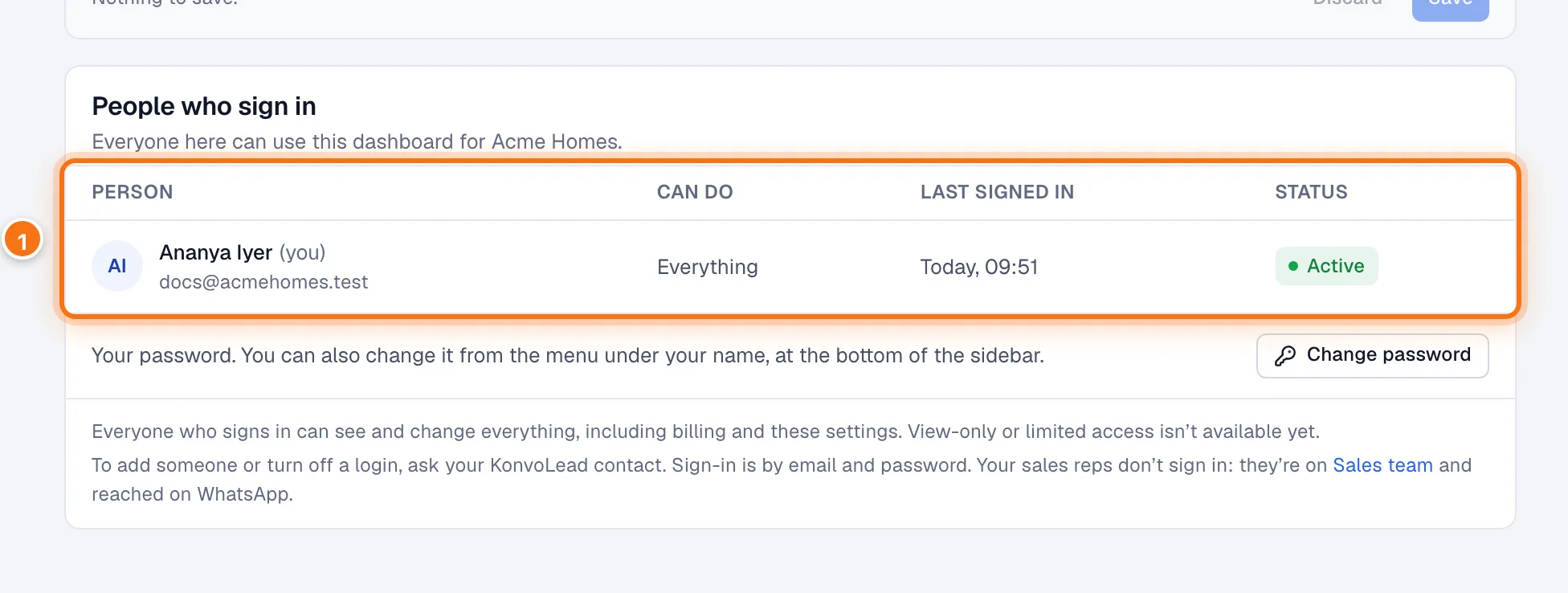
- Each person: their name and email, what they Can do, when they Last signed in, and their Status.
Everyone who signs in has the same access. View-only or limited access isn't available yet.
Adding or removing a colleague
Ask your KonvoLead contact. To add someone, send their name and email address; they get an email to set their own password. To turn off a login, for example when someone leaves, tell us and we stop it straight away.
Your sales team doesn't sign in
People on your Sales team are reached on WhatsApp and don't get a dashboard login. See Adding sales reps and managers.
Changing or forgetting your password
To change your password, click Change password under the list (it shows on your own account), or in the menu under your name. See Change your password.
Forgot it? On the sign-in page, click Forgot password?, enter your email, and follow the link we send you. See Signing in.